
If you are not seeing Appointment Requests please see Why Am I Not Receiving Appointment Request Notifications?
How To:
- When the Appointment Request notification is on your screen select the Review Appointment button.
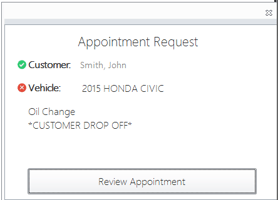
- This will open a window where you can approve or adjust the incoming request
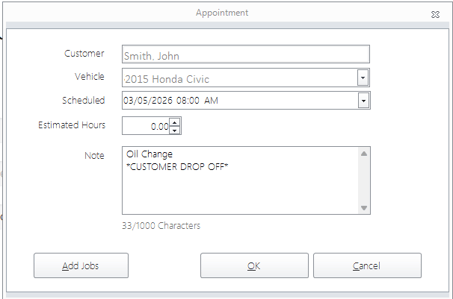
- From this window you can change the scheduled time, hours, and add any notes needed.
- Click on OK to approve the appointment or Cancel to decline it.
- If you have changed the date/time of the appointment it will send the customer a message through Message Manager Pro
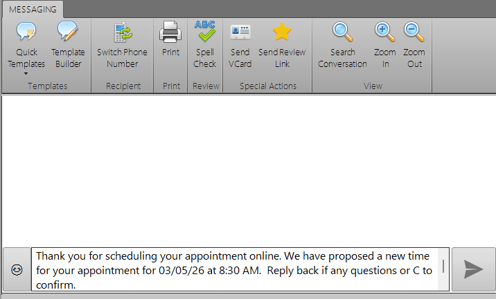
- This will allow your customer to either accept the new time or discuss it with you further.
- If you have changed the date/time of the appointment it will send the customer a message through Message Manager Pro
For information on these Appointments being available in your Shop Management System see Will Appointments Made With The Appointment Integration Show In My Shop Management System?