
This is a continuation from the article How to install service uploader
In some cases, a server may not have Microsoft .NET Framework installed. Because this framework is required for Windows applications, you’ll need to install it before continuing with the setup.
During the Retention Pro Service Uploader installation you could see this error:
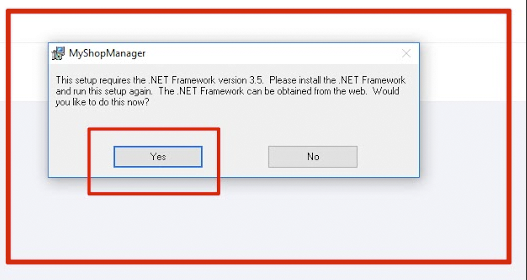

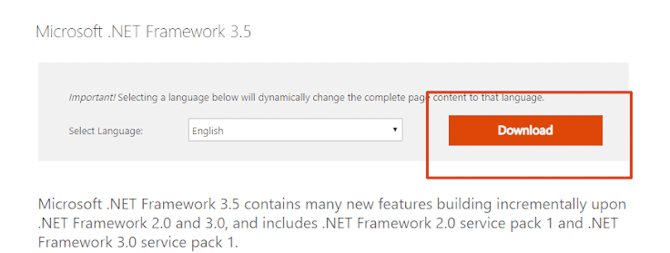
Click Yes, and a browser will open to a Microsoft website. Look for the option shown below and click download.

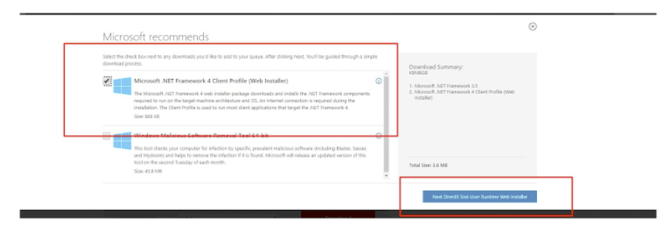
Check the web installer checkbox

Run the program that is downloaded, and Select Download and Install
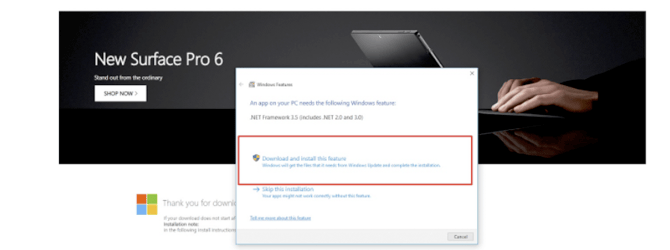

Installation may take a few moments. Once it completes, click Close.
After this installs, rerun the Retention Pro installer (myshopmanagersetup.msi) you previously downloaded.