
Select Campaigns from the top left hand corner of the screen
Click on Settings in the left hand navigation bar and find No Reply Limit on the Campaign Settings page.
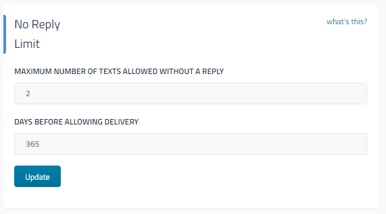

Maximum number of texts allowed without a reply
How many messages can be sent to a customer without them responding before the system “pauses” their profile for campaign messages. (default is 2)
Days before allowing delivery
How many days the customer will be “paused” from receiving campaigns. (default is 365)
Return to the Main Article Campaign Settings and General Campaign Info