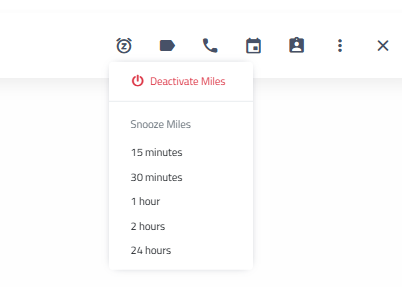
To "pause" or "snooze" the Miles Virtual Service Advisor so that you manually respond to and have a conversation with a customer you can use the snooze options at the top of that conversation in the Message Center.
 Click the clock icon with the Z in the center to choose how long to snooze Miles replies to that customer. This will allow you to handle the conversation with the customer yourself without having to fully disable the Miles Virtual Service Advisor for all conversations.
If you would like to make sure that a customer never receives Miles messages, there are two ways to unsubscribe a customer from receiving the Miles Virtual Service Advisor Messages:
Messaging Center
The first way is from the Messaging Center while you are reading text message conversations. This gives you quick access if a customer replies to a text message stating that they would not like to receive messages from Miles.
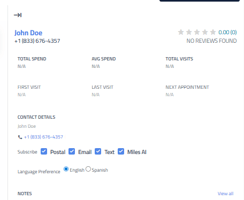
From the Messaging Center you can open the customer information panel and use the check box next to Subscribe for Miles AI.
Customer Profile
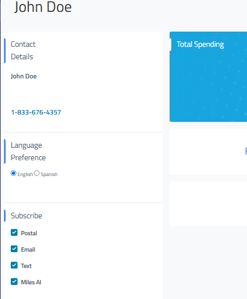
Another way is from the Customer Profile itself. Click the magnifying glass icon at the top right of your screen, type the customer’s name in the search box, and select the correct customer from the results. Once you click on their name, the Customer Profile will open.
At the top left of the Customer Profile you will see the customer’s information and then a section labeled Subscribe with check boxes for Postal, Email, Text, and Miles AI. Uncheck the box next to Miles AI to unsubscribe the customer from the Miles messages.